Attacks arrive server by server
Each server only knows its own logs.
Central merges them: an address that hits five servers is one attacker, with one timeline.
For everyone who runs more than one server
ARES Central joins every server running ARES Server Guardian into a single dashboard. See the whole fleet's health, alerts and attackers, trace any address across every server, and push firewall changes to one server, a tag or the whole fleet, each one signed, confirmed with 2FA and audited.
No sign-up. The demo is read-only and every server, address and attack in it is invented.
Attackers do not pick one server. They try the same addresses, passwords and exploits on all of them.
Each server only knows its own logs.
Central merges them: an address that hits five servers is one attacker, with one timeline.
The same ban typed on every box, or forgotten on one.
One action reaches one server, a tag or every server. Offline servers get it when they reconnect.
Thousands of lines a day, per server.
Alerts, attack traces, rates and an optional AI analysis tell you what matters and what to do next.
Every screen below is from the live demo, with invented data.
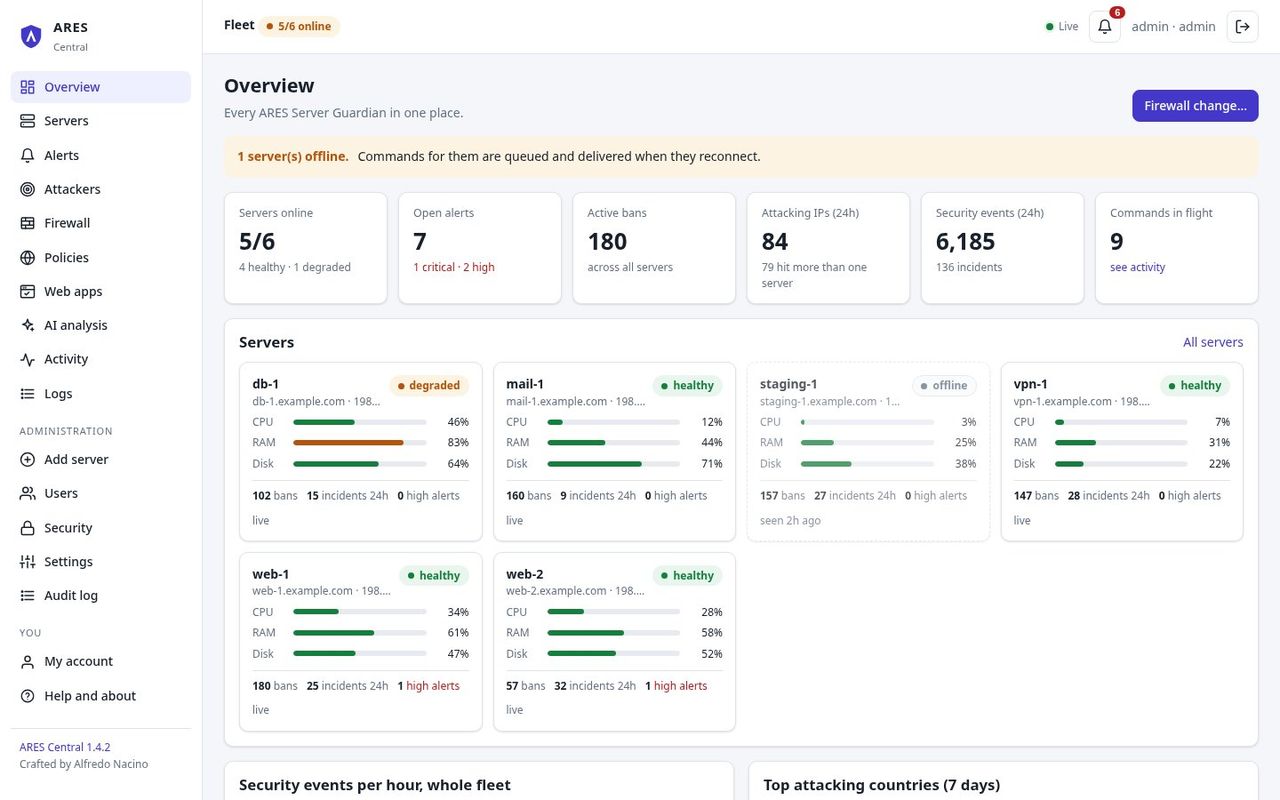
Fleet overview
Servers online, load, active bans and open alerts for the whole fleet, with attacks per hour over the last day. Open any server to see its health, firewall rules, processes and history.
Attackers and attack trace
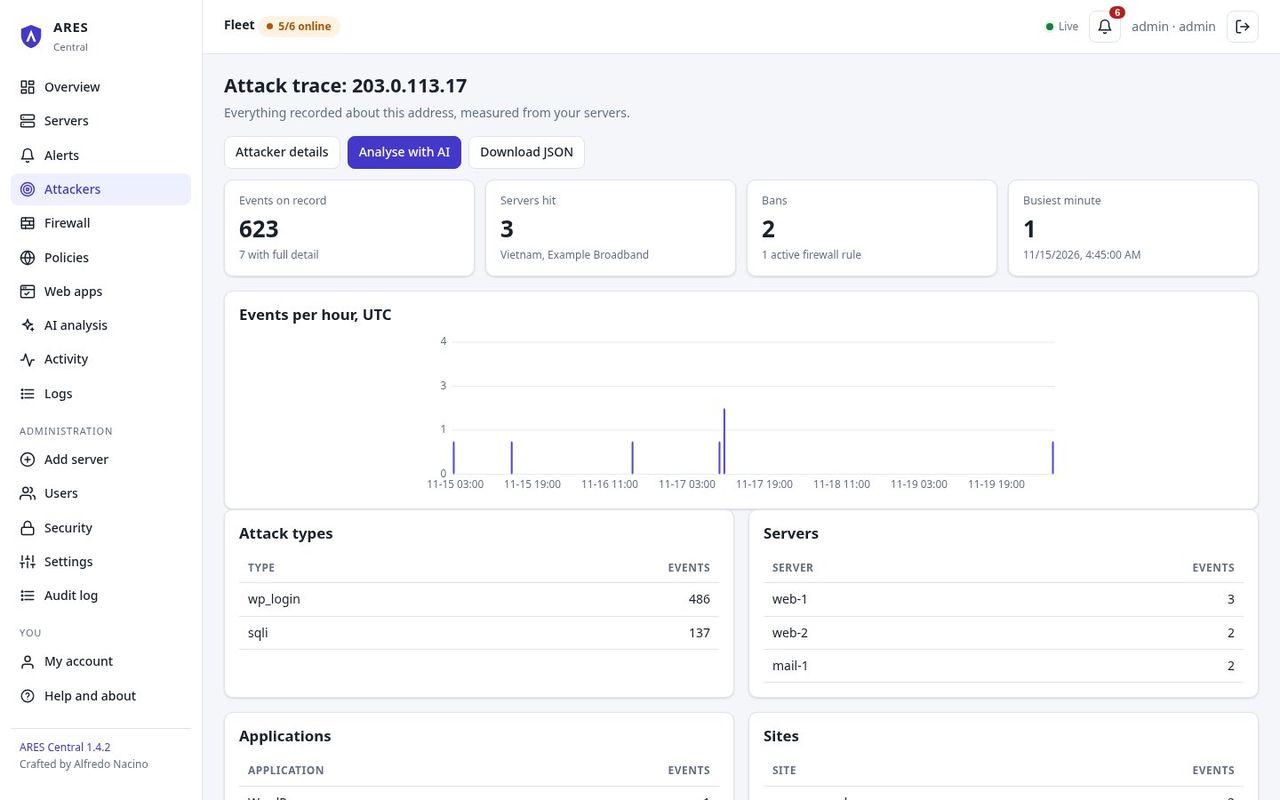
Attackers lists every address that attacked any server, merged across the fleet, with country, network and attack types. Trace attack shows everything known about one address: timeline, servers and sites hit, requested paths, user agents and bans, as a table, raw lines or JSON.
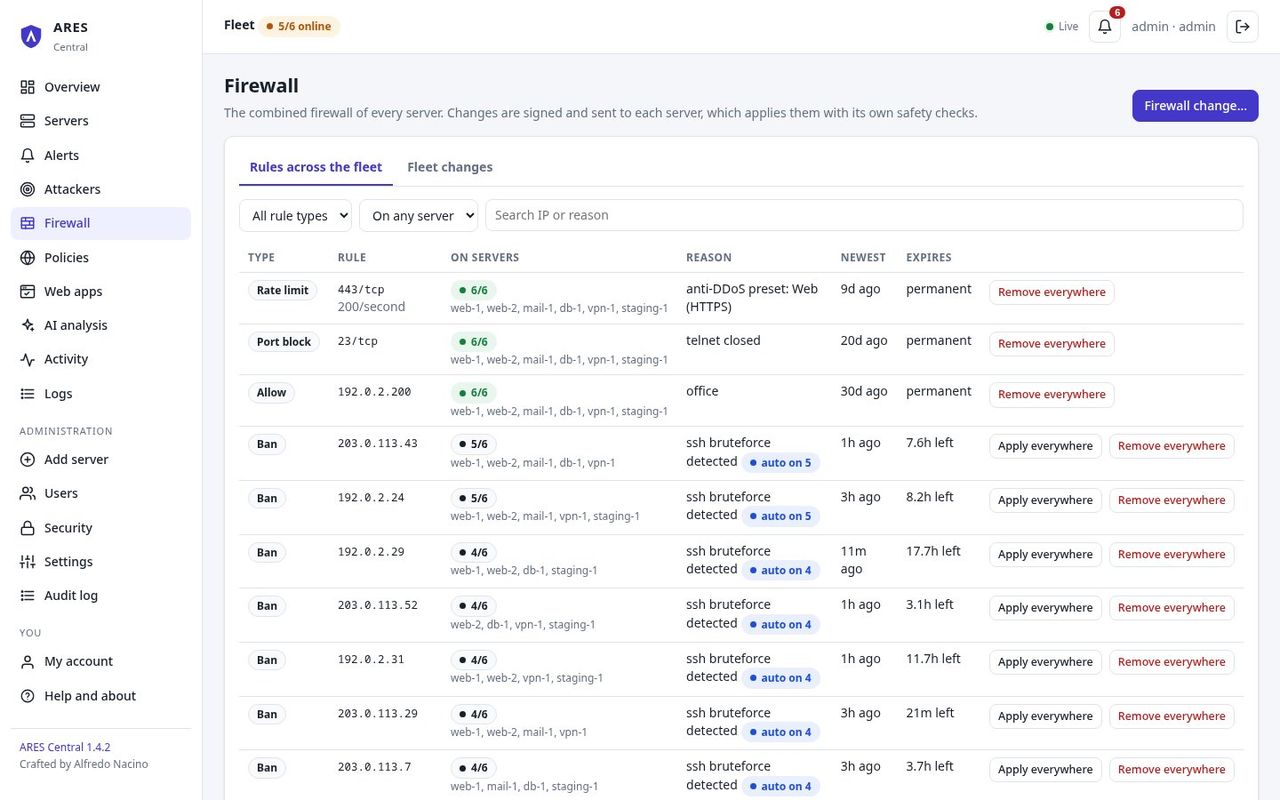
Firewall everywhere
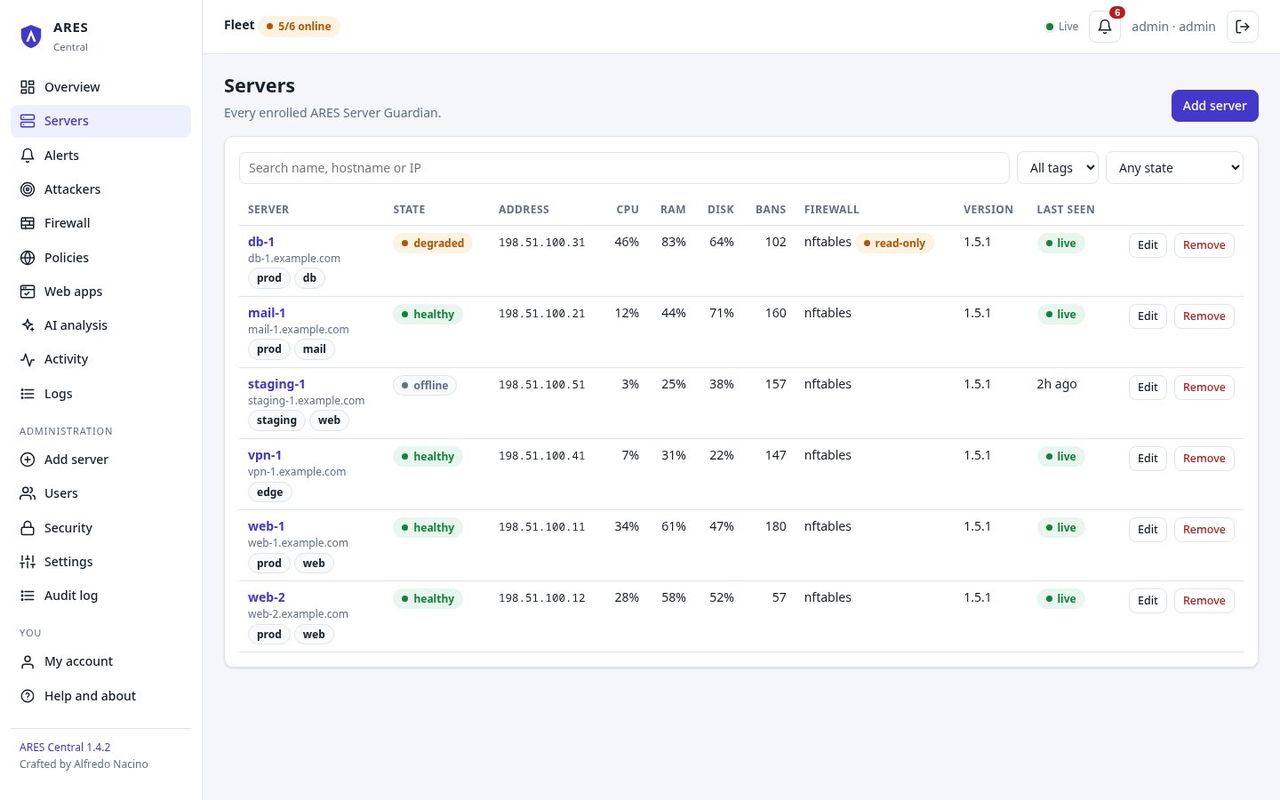
See every distinct rule across the fleet and which servers carry it. Ban, allow, block a port or rate-limit, then watch each server confirm with its own answer under Commands.
Web attacks
Web apps shows the sites and applications under attack, from the web servers' own access logs. Push blocking rules and a signature pack for 41 exploited vulnerabilities to your servers, in alert or block mode.
.env probes, plugin uploads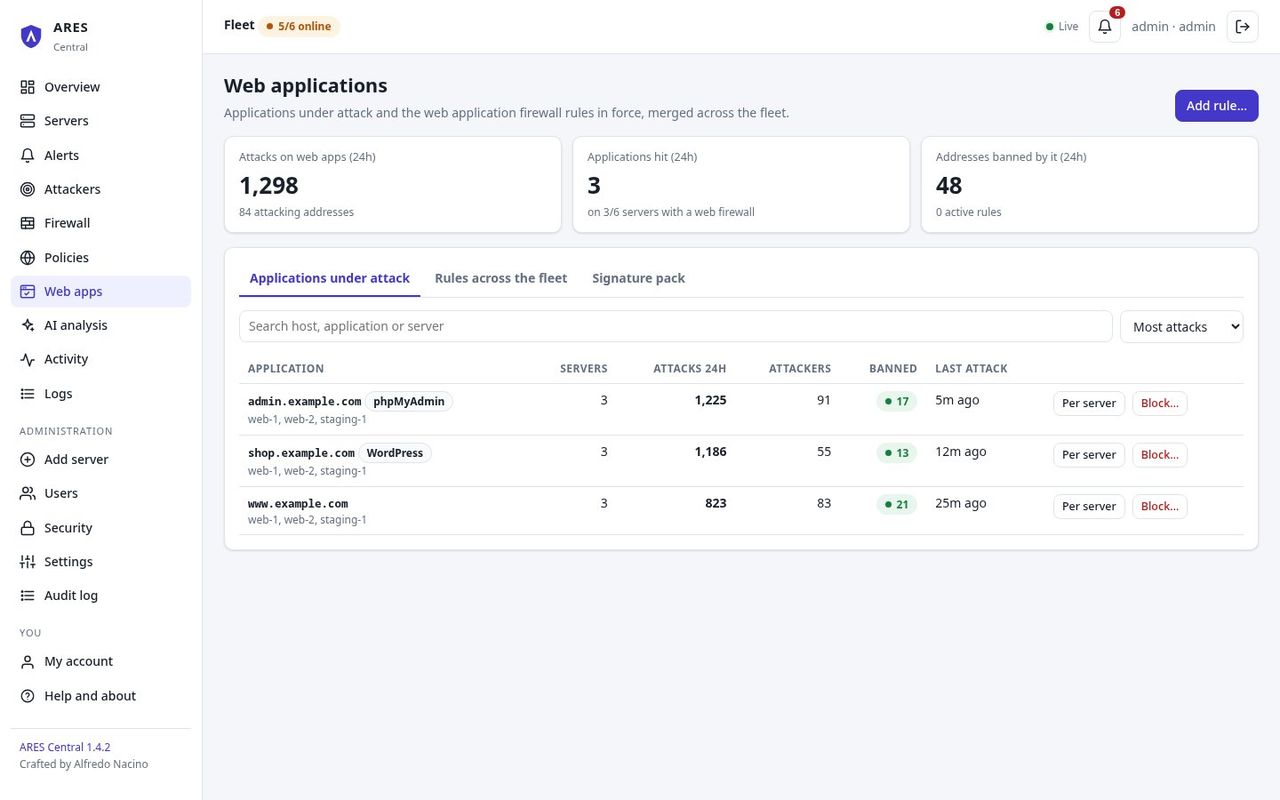
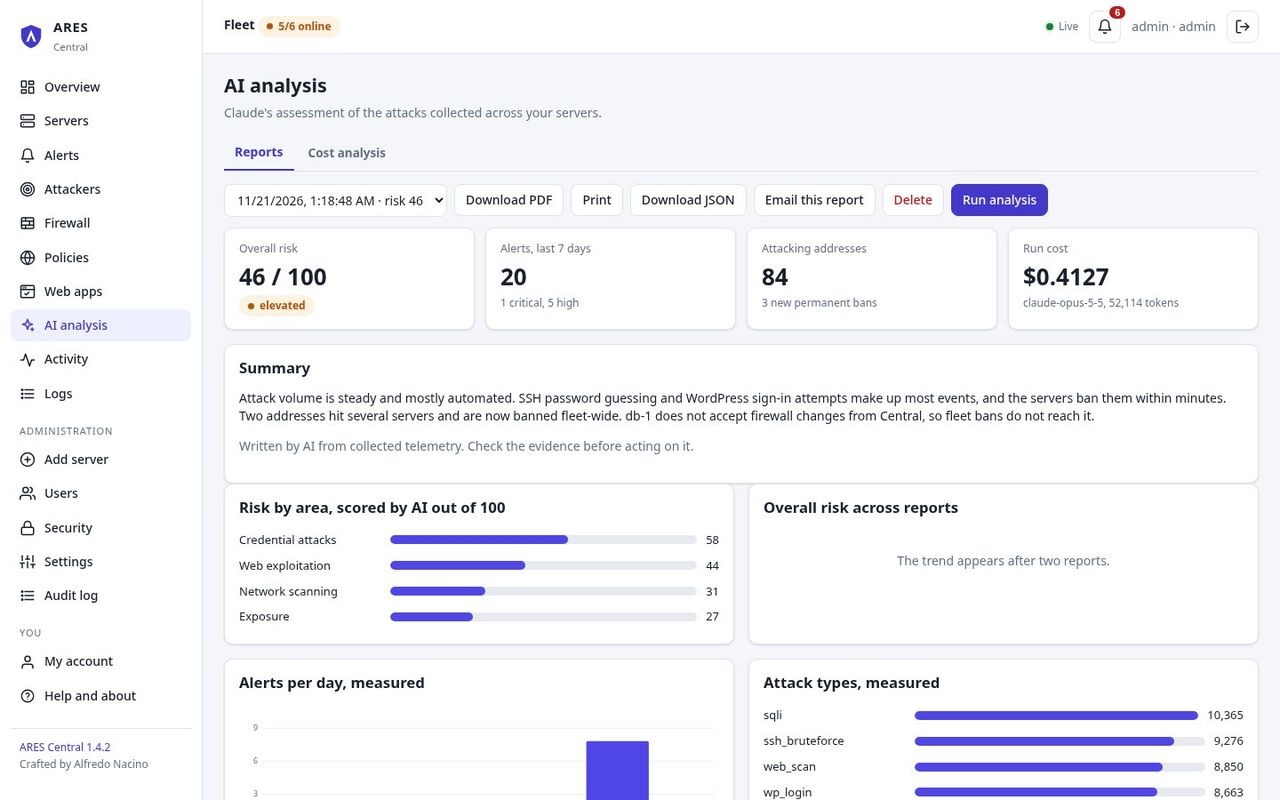
AI analysis and reports
Optional analysis with Claude reads the attacks collected across your servers and returns a risk score, risk by area, findings with evidence, threats and recommendations. Reports can be scheduled and emailed as HTML with a PDF, and every query's cost is tracked.
Logs, audit and API
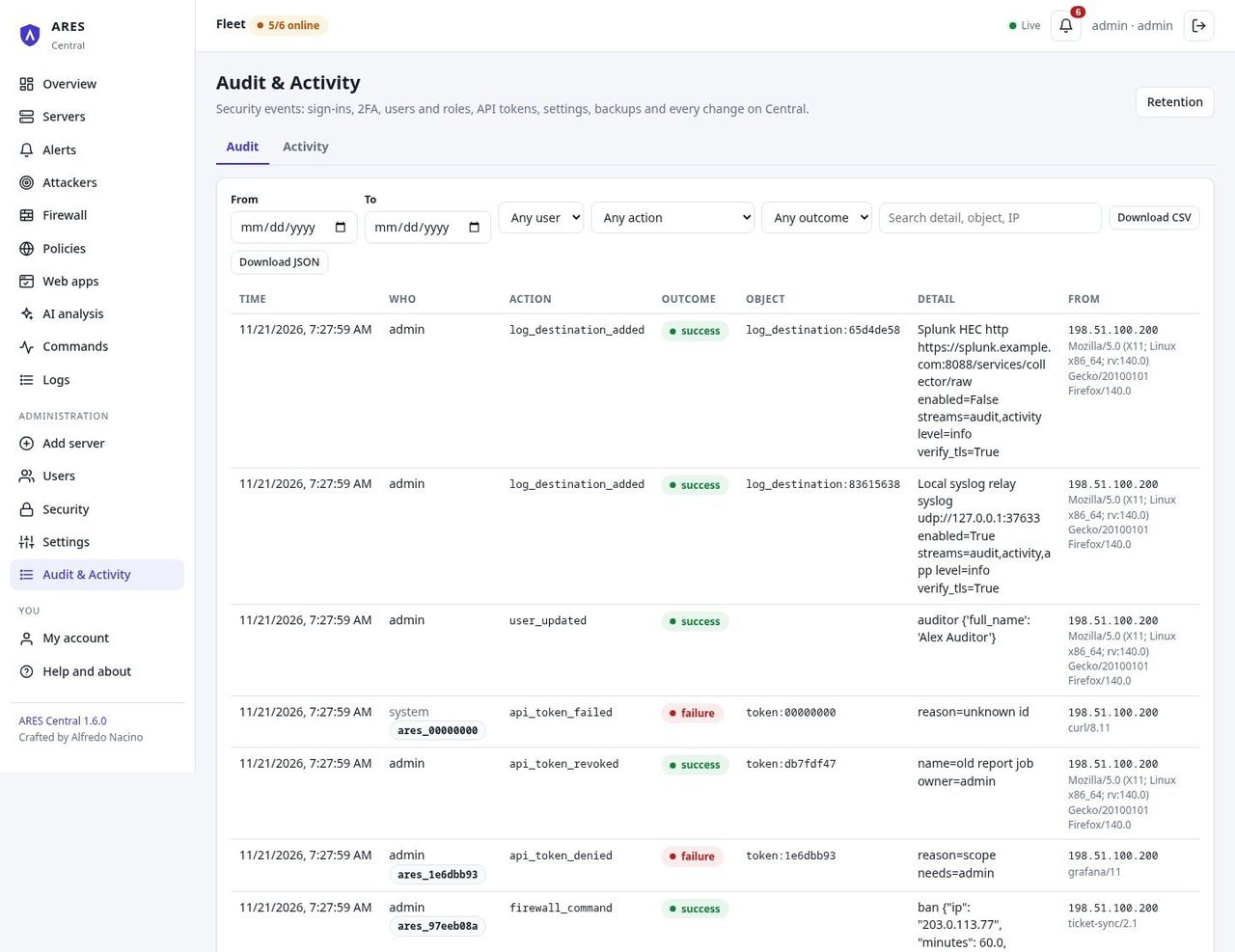
One Logs page for attacks, alerts, commands and the application's own log. Audit & Activity records every sign-in, change and API call, with CSV and JSON export. Everything is also a JSON API with personal tokens, and events go to your SIEM over syslog or HTTPS.
Install ARES Server Guardian. It detects attacks in the server's logs and bans them at the firewall on its own, with or without Central.
In Add server, create a one-time join code and run the command it shows on the server. The server makes its own key and dials out; you open no port on it.
Reports arrive every 15 seconds. Investigate from Attackers and Logs, and respond with one signed change for one server, a tag or the whole fleet.
Security by design
Central can change firewalls on every server, so it is the first thing an attacker would want. It is designed around that.
ECS JSON events over syslog (RFC 5424, UDP, TCP or TLS) or HTTPS: Splunk HEC, Elastic, Graylog, Loki, Wazuh or a Sentinel collector. Audit events are never lost during an outage.
Every function is a JSON API under /api/v1/, with personal tokens limited by scope and expiry, and an OpenAPI description for signed-in users.
Health endpoints for uptime monitors and APEX Pingmora. Scheduled backups, kept locally or copied to another server over SFTP.
No. Each server connects out to Central's gateway over mutual TLS. Only Central needs a reachable gateway port.
Each Guardian keeps detecting and banning on its own. When Central is back, the servers reconnect, send what Central missed, and receive any queued changes.
Look at everything a viewer can: overview, servers, alerts, attackers and traces, firewall, policies, web apps, logs and the AI report. The demo is read-only, its six servers are invented, and its addresses come from ranges reserved for documentation.
Only where you choose. AI analysis is off until an admin turns it on, and then sends attack data to Anthropic. Log forwarding and SFTP backup copies go only to the destinations you configure.
Viewers read. Operators also change firewalls and policies. Admins also manage users, settings, backups and AI analysis, and read the audit and application logs. Two-factor authentication is required by default.
Open the demo and look around, or sign in to your own Central.